
Applying for jobs is more than just submitting your resume. To stand out, you need to write a compelling message to hiring manager that shows your interest and fit for the role. In this guide, we’ll walk you through each step of the process on Turrior and share expert tips on how to personalize your application for the best results.
Your perfect guide
Each application is an opportunity to connect. Use these steps not only to submit your resume, but to tell your story and show why you’re the right fit for the team.
Step 01 – Access your Turrior account
Go to my.turrior.com and log in to your talent profile. Make sure your profile is complete and up-to-date to increase your chances of being shortlisted.
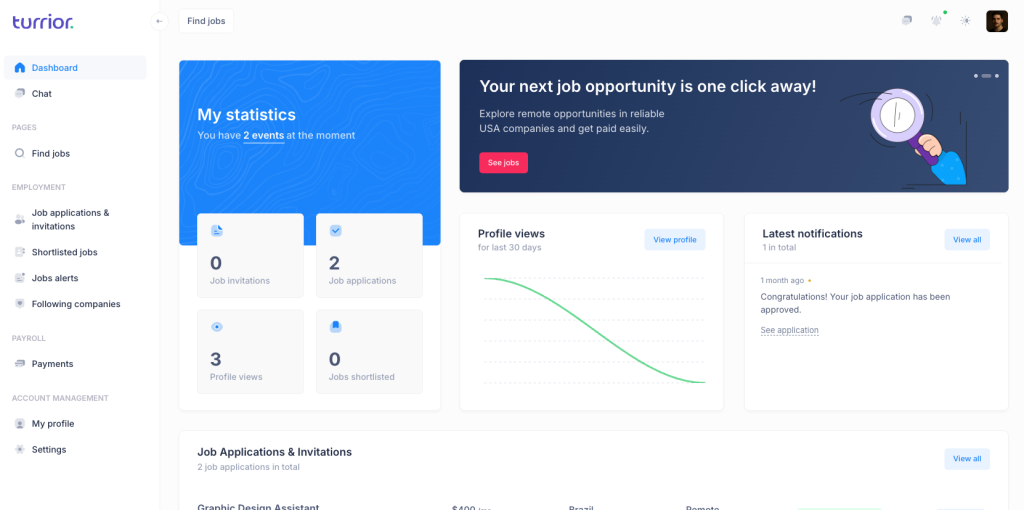
Step 02 – Go to the “Find Jobs” tab
Once logged in, navigate to the “Find Jobs” tab to browse available opportunities. Use filters to refine results based on your skills and preferences.
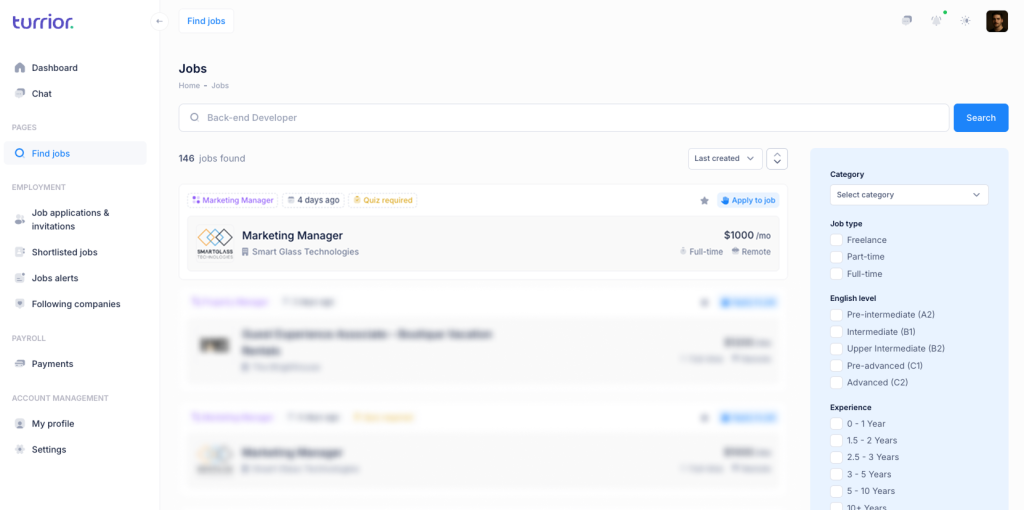
Step 03 – Choose a job and read the details
Click on the job that interests you. Carefully read the job description, requirements, and responsibilities. Only apply if your experience matches the criteria.
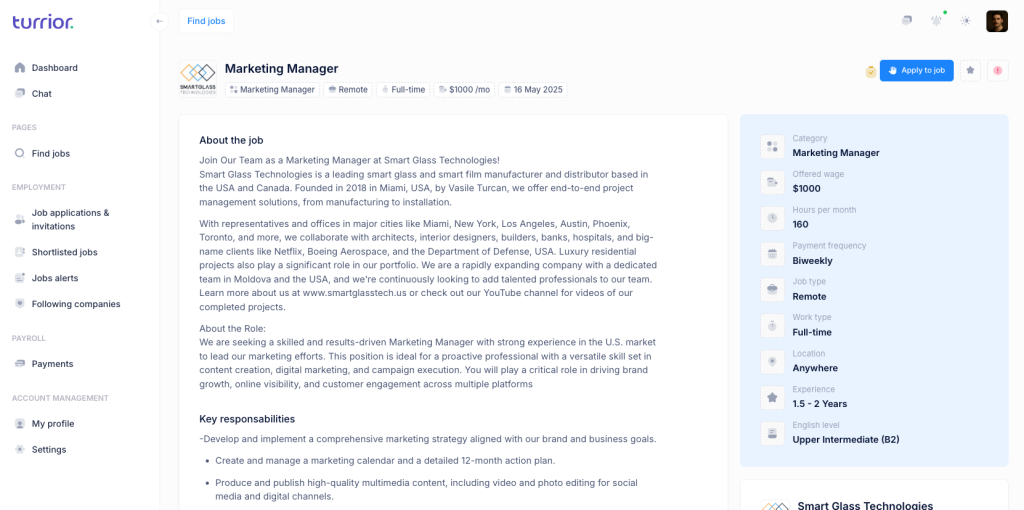
Step 04 – Fill in the requested information
Some job postings may include a qualification form. This is your chance to provide more context about your experience and demonstrate alignment with the role.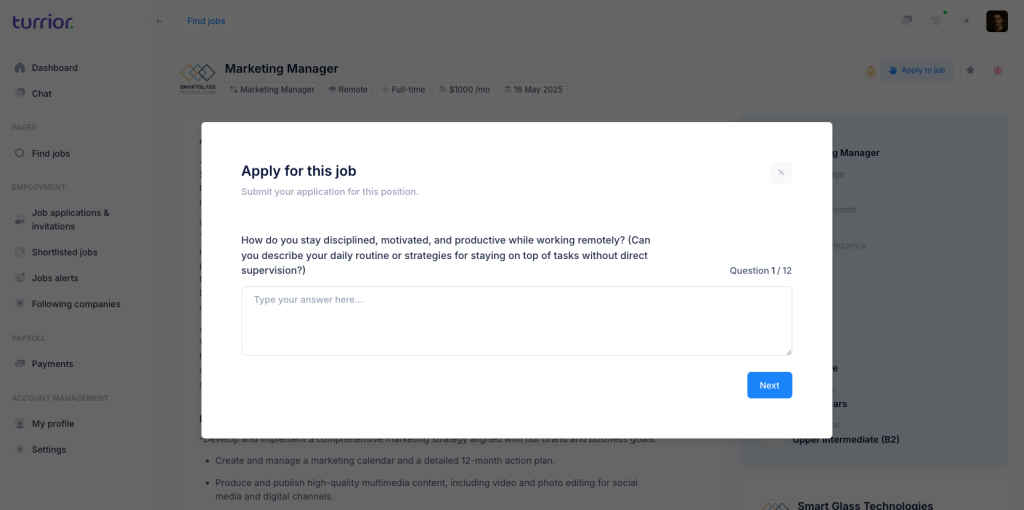
Tip:
Answer each question clearly and concisely. Highlight measurable achievements, relevant tools, or industries you’ve worked in. Avoid copying from your resume — instead, tailor your answers to show relevance.Step 05 – Write a personal message to the hiring manager
This is where many candidates shine or fall flat. Your message to hiring manager is your opportunity to create a personal connection and demonstrate genuine interest.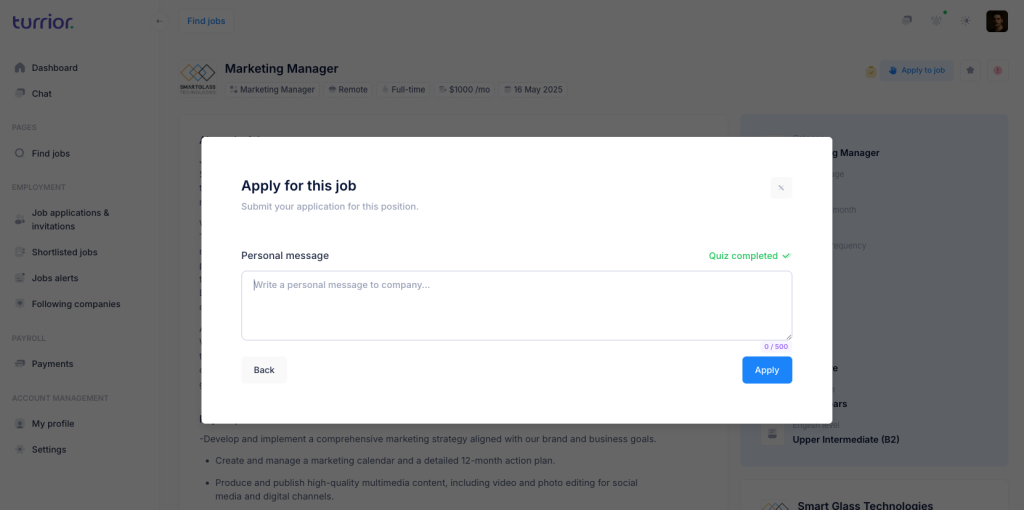
Tip:
Keep your message short and authentic. Use the hiring manager’s name if available. Express enthusiasm for the role, reference a specific detail from the job description, and highlight one key reason you’re a great fit.Example: “Hi [Name], I’m excited about the opportunity to join your team as a [Job Title]. I was particularly drawn to the focus on [specific aspect of the job]. With my background in [your relevant experience], I’d love to bring value to your team. Looking forward to hearing from you!”
Using a personalized message to hiring manager increases the chance your application will be noticed.
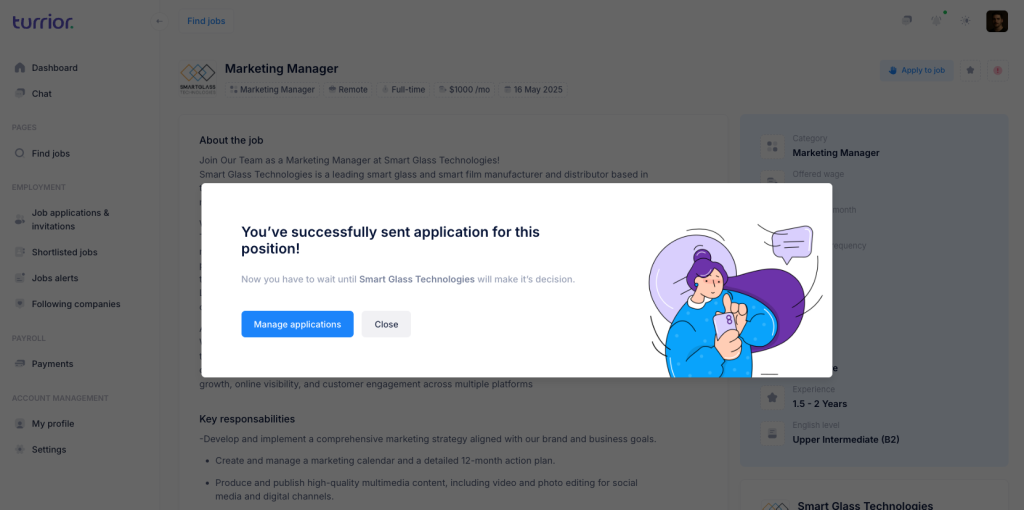
Step 06 – Click “Apply”
After writing your message, click the “Apply” button. Congratulations — you’ve just sent your application!
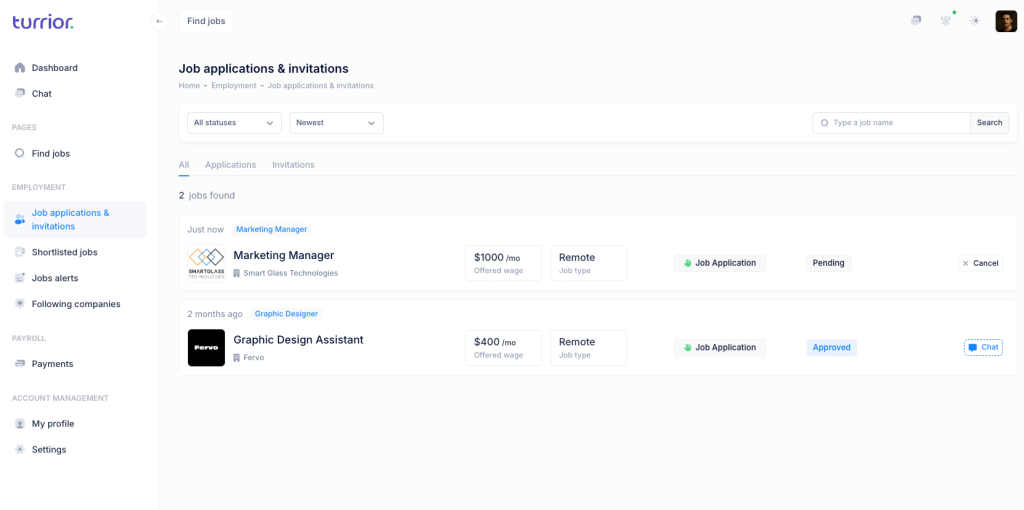
Step 07 – BONUS: Manage your applications
Go back to your dashboard to track the status of your applications. Following up professionally can keep you top of mind for hiring teams.
Tip:
If you haven’t heard back after a week or two, consider sending a short follow-up message to the hiring manager reaffirming your interest. Simply access the “Chat” tab and write a note to the company.
Final Thoughts
Your message to hiring manager can make or break your job application. By following this step-by-step process and personalizing each interaction, you dramatically improve your chances of landing an interview.