
Hiring remote talent has never been easier—but to attract the right professionals, it all starts with a clear and well-structured job post. If your company is hiring internationally, following the right setup ensures better visibility and better matches.
In this article, we’ll walk you through the full process of creating a job post on Turrior, so you can streamline your global recruiting efforts and connect with LATAM’s top remote professionals.
Why Your Job Post Matters in Global Recruiting
When hiring remotely, your job post is your first filter. It defines what you’re looking for, sets expectations, and helps qualified candidates find you faster. Especially in global recruiting, clarity and precision make a big difference in both the quality and volume of applications.
Step 1: Access Your Account
Head to my.turrior.com and log in with your company credentials. If you don’t have a business account yet, you can create one in just a few minutes.
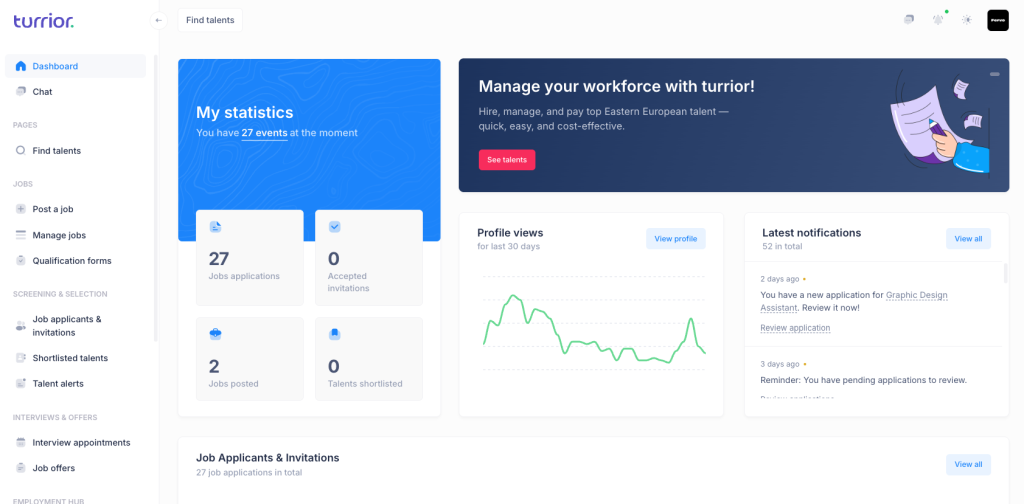
Step 2: Click on “Post a Job” in the Left Menu
Once logged in, find the option “Post a Job” in the left-hand navigation bar. Click to start the job creation flow.
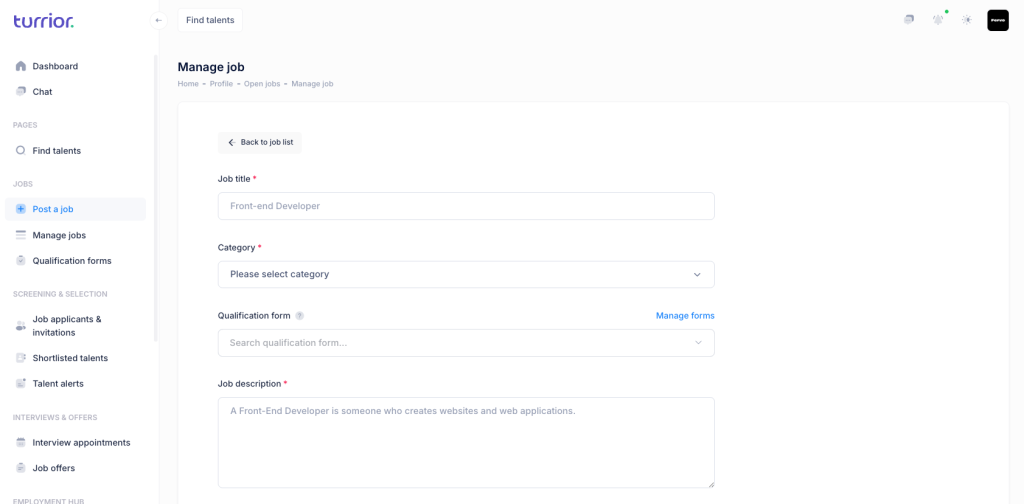
Step 3: Fill in the Job Title and Category
Enter a clear and specific job title (e.g., “Bilingual Customer Support Assistant”) and select the appropriate job category.
✅ Tips for writing your job title:
– Be concise and specific (e.g., “Senior UX Designer – SaaS” instead of just “Designer”)
– Avoid internal jargon (e.g., “Rockstar Ninja” doesn’t help in global recruiting)
– Include seniority level if relevant (Junior, Mid, Senior)
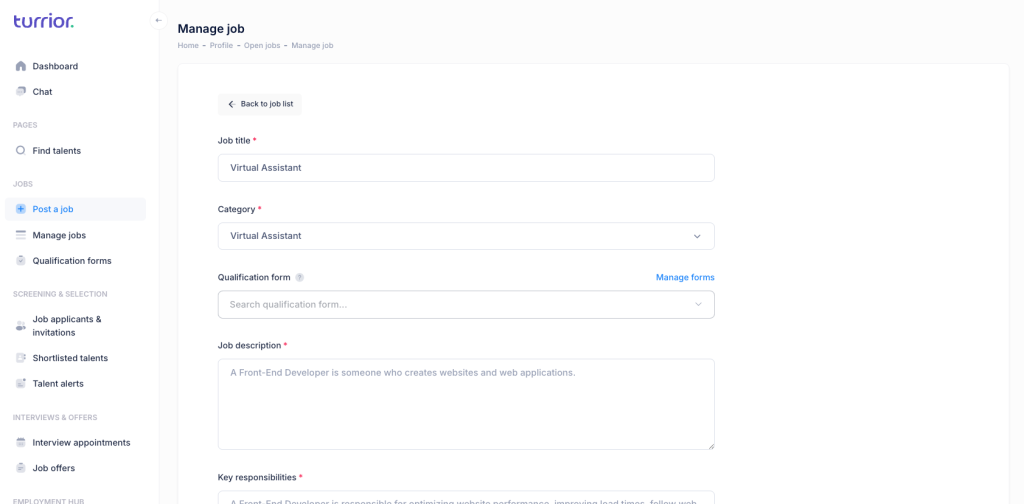
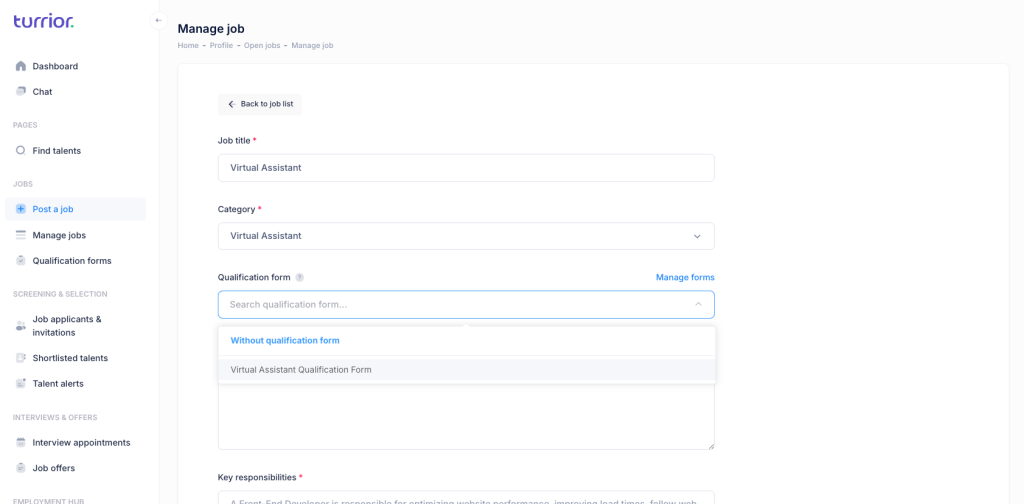
Step 4 (Optional): Associate a Qualification Form
If your company uses a qualification form to pre-screen applicants, you can link it to this job. If you’re not sure how to create one, check out our guide: How to Create a Qualification Form
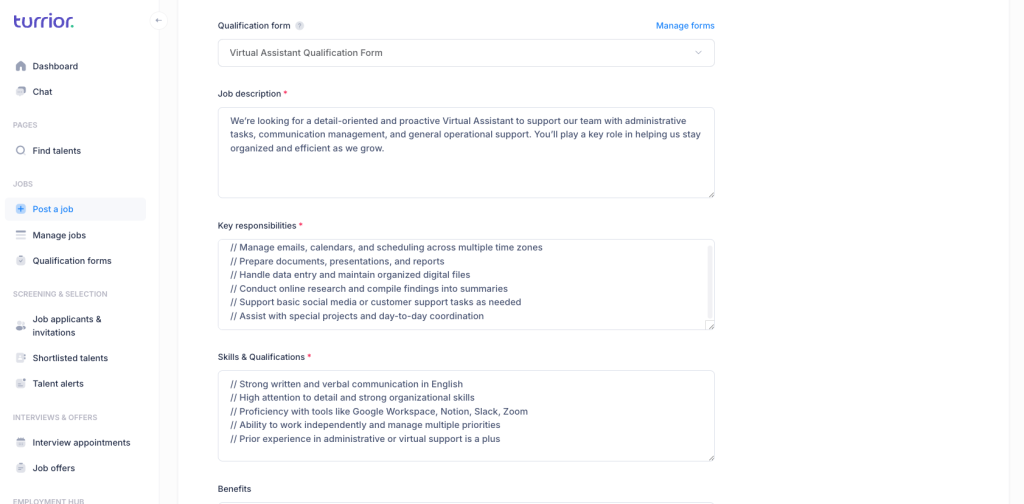
Step 5: Add Job Description, Responsibilities, Skills & Benefits
This is where you define the core of the opportunity:
- Job Description: Explain what the role is and why it matters
- Key Responsibilities: Use bullet points to keep it clear and scannable
- Skills & Qualifications: List required and nice-to-have skills
- Benefits: Mention perks such as flexibility, wellness programs, or equipment support
✅ Tips for writing these sections:
Job Description & Responsibilities:
– Start with a one-line summary of the role
– Highlight how the role fits into the team or company vision
– Use simple, global English—avoid slang and idioms
– Keep paragraphs short (2–3 lines)
Skills & Qualifications:
– Separate “must-have” and “nice-to-have” skills
– Include tools or platforms (e.g., Zendesk, HubSpot)
– Avoid vague terms like “rockstar” or “team player” without context
Benefits:
– Be transparent and realistic
– Include any global perks (e.g., flexible hours, coworking stipends)
– Mention contract type and payment method, if relevant to international hires
Using clear and inclusive language here improves the quality of applicants and supports your global recruiting objectives.
Step 6: Fill Out Job Logistics
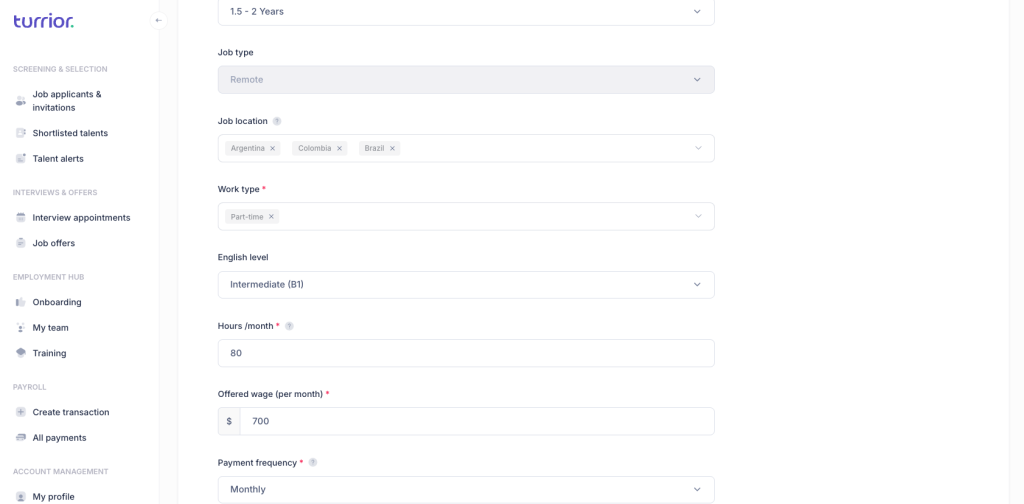
Specify the logistical and technical details of the job:
- Required experience level
- Job type (freelance, part-time, full-time)
- Job location (remote, hybrid, on-site)
- Work type (individual contributor, team-based)
- Required English level
- Expected hours/month
- Offered wage (per month)
- Payment frequency (weekly, biweekly, monthly)
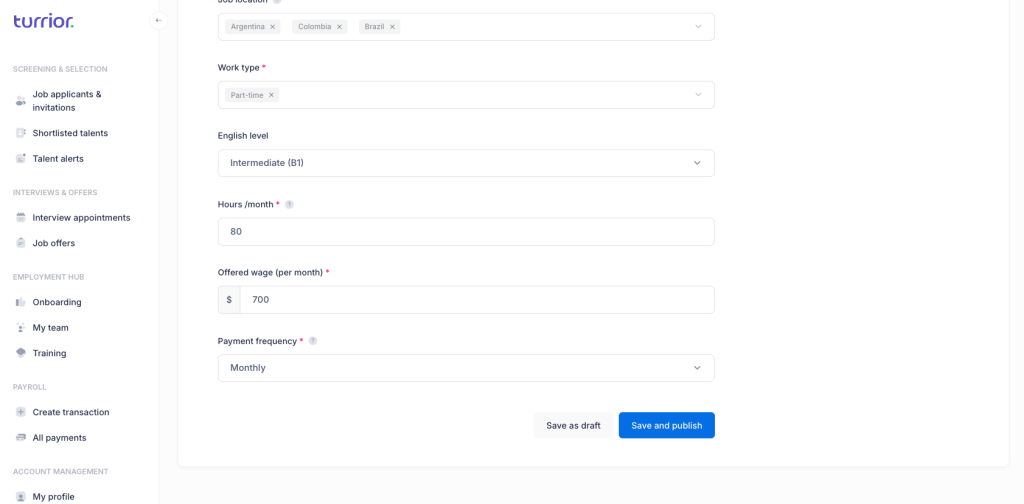
Step 7: Click “Save & Publish”
Once everything is filled in, hit “Save & Publish” at the top or bottom of the page. Your job will be live on the Turrior platform and visible to thousands of talents across Latin America.
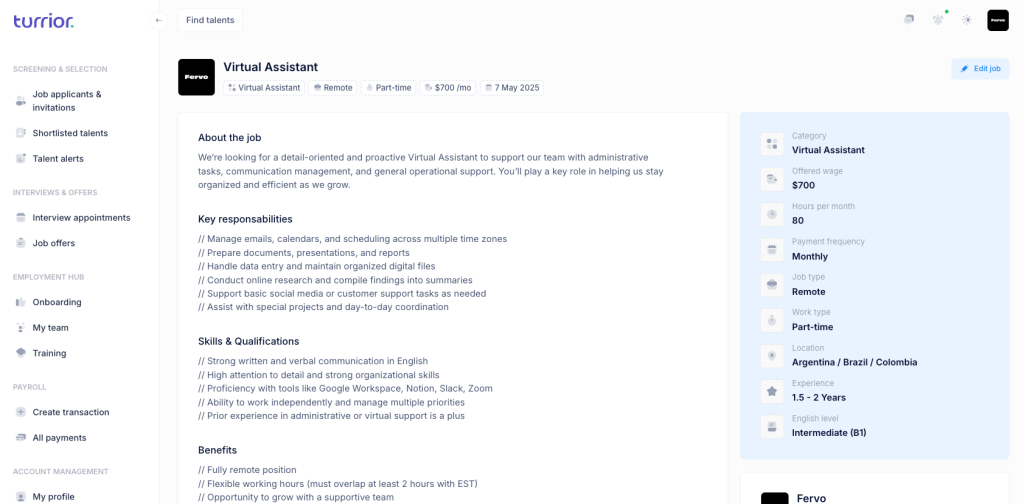
Step 8: Done—Your Job Post is Live!
That’s it! Your post is now online and ready to receive applications.
Step 9: Manage Applications and Search for Talents
Go to “Job Applicants & Invitations” in the left menu to view and interact with applicants.
Looking to be more proactive? Use the “Find Talents” section to browse Turrior’s talent pool. You can filter by skills, availability, experience, and more—perfect for strengthening your global recruiting pipeline.
Need Help?
Need help optimizing your job posts or sourcing specific profiles? The Turrior team is here to support your global hiring journey. Just reach out.